


Health2Sync - Diabetes Tracker
4.4491.00 Reviews
App Specs
- Version
- 2.97.0
- Updated On
- License
- Free
- Downloads
- 1,000,000+
- Developer
- H2 Inc.
- Categories
- Medical
- Platform
- Android, iOS
Screenshots
 Analysis by AppCompare
When health information is scattered across notes, meter screens, and memory, it can be hard to spot what is changing from day to day. I find a tracking app most useful when it helps me bring those details together without pretending to replace medical care. Health2Sync is a diabetes management app from H2 Inc., and its focus is on recording blood sugar and related habits in one place. It is free to download, though some in-app purchases are available, so I would check the choices shown in the app before assuming every feature is included at no cost.
For someone deciding whether to try it, the important question is not just how many things an app can track. It is whether the routine of entering and reviewing information feels manageable, and whether the way the app handles personal health details fits your comfort level. I would approach it as a record-keeping and conversation aid: useful for organizing observations, but not a diagnostic tool or a substitute for a clinician’s instructions.
Using Health2Sync as a practical health record
I use a health record most effectively when it answers practical questions later, not when it encourages me to collect every detail. In this section, I’ll focus on how to keep entries consistent enough to review, while treating gaps and unusual days honestly. That approach makes the record more useful for a conversation with a clinician without asking the app to interpret it for me.
Starting with a routine you can maintain
The first thing I noticed about Health2Sync is its sleek and intuitive design. Setting up the app was a breeze; it guided me step-by-step through the process of inputting my personal information, such as age, weight, and height. The app then prompted me to enter my blood glucose levels, medications, and other health metrics. This initial setup felt like a personal health assistant was being crafted just for me.
That first setup is also a good moment to be deliberate. I would enter only the information I actually intend to keep up to date, then decide on a simple logging routine before adding more detail. A record that is consistently useful is better than an ambitious one that becomes another chore. If a number is entered later from memory, I would make a note of that context rather than treating it as equivalent to a reading recorded at the time.
It is a medical app, so privacy deserves a little thought before the first entry. Health2Sync’s presence in the medical category does not by itself tell me what data is collected or how it is handled; I would review the app’s permission prompts and privacy information, and grant only the access I understand and need. I would also look through account settings for available choices about sharing or account management before putting sensitive information into any health service.
What tracking can help you notice
Once you're inside the app, you'll find a plethora of features designed to help manage diabetes effectively. Here are a few that really stood out to me:
Worth Reading Before You Choose

Flipboard Shows What News Apps Must Do Beyond the Feed

Switching to Android Auto Means Rethinking Your Driving Routine

Google Calendar Makes a Crowded Week Easier to Manage

Ludo King Makes the Most of the Minutes Between Plans

Baby Panda World Brings Quick Play to Modern Phones, but Its Game Library Feels Busy

ESPN’s Live Game View Makes Following Close Games Easier
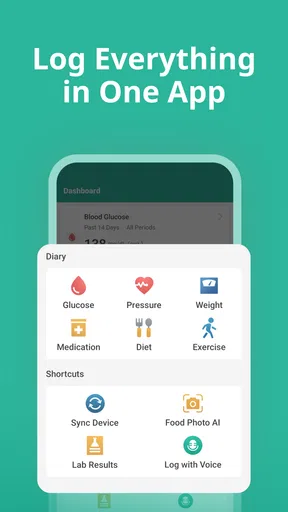
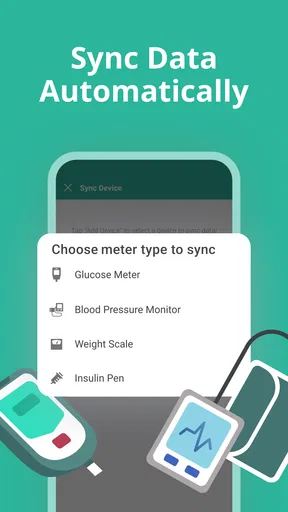
- Data Syncing: The app allows you to sync data from your glucometer, which means you don’t have to manually enter your blood glucose levels every time you check them. Less hassle, more accuracy.
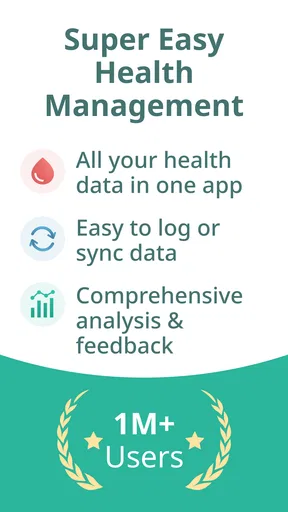
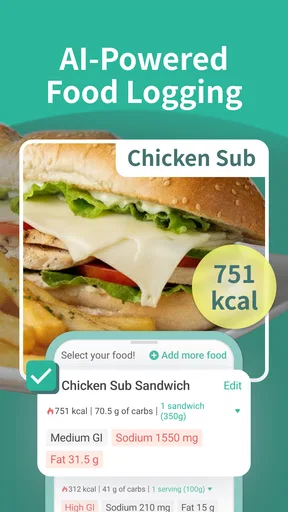
- Comprehensive Tracking: Not only does it track blood glucose levels, but also diet, exercise, and even mood. This holistic approach helps in understanding how different aspects of your life impact your health.
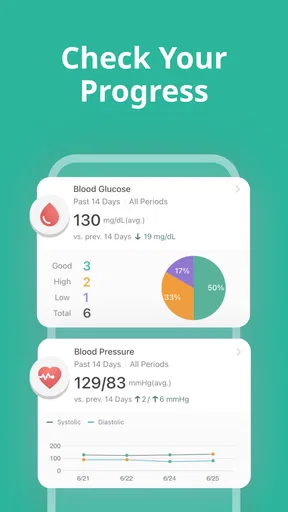
- Personalized Insights: Health2Sync offers personalized insights and reports that help you understand your health trends over time. It’s like having a personal health coach in your pocket.
The practical value of recording several kinds of information is in comparing moments, not in assuming that one entry explains a result. For example, if I notice that readings and activity look different on workdays than on weekends, I can bring that pattern to a clinician and ask whether it matters. Keeping entries brief and tied to a real routine—such as logging a meal or exercise when I record a reading—can make later review more meaningful than trying to reconstruct a whole day at night.
Syncing can reduce repeated typing, but it is worth checking that a connected meter is supported and that a transfer appears as expected before relying on it. A sync process is a convenience, not a reason to stop checking the source reading. If a connection is unavailable or awkward, manual entry remains a practical fallback, though it asks for more discipline and care to avoid transcription mistakes.
Daily use, reminders, and real-life friction
One of the things that make Health2Sync stand out is its user-friendly interface. Navigating through the app felt intuitive, and the design is clean without being cluttered. It's clear that the developers have put a lot of thought into making the app accessible to everyone, regardless of how tech-savvy they are.
I was particularly impressed with the reminder feature. It sends timely notifications for medication, blood sugar checks, and even appointments. No more missed doses or appointments, which is a game-changer for someone as forgetful as I am!
Reminders are most helpful when they support a plan already agreed with a healthcare professional. I would set only the prompts that match my actual schedule and make sure notifications are allowed in the phone’s settings. Too many alerts can become background noise, especially when a work shift, travel, or a changed routine makes the original timing unrealistic. The app can nudge me, but it cannot know whether a dose or check should be changed.
A realistic use case is a busy weekday: I check my glucose as directed, record the result or sync it, and add a short note if something unusual affected the day, such as a different meal or an unexpected walk. Later, rather than judging a single result in isolation, I can review the entries and take relevant questions to an appointment. This is where a log earns its space on my phone: it helps me recall details I might otherwise forget, without turning an ordinary day into a constant data-entry exercise.
There is a trade-off between a richer record and the time it takes to maintain one. Someone who only wants a basic number log may find entries about diet, exercise, and mood unnecessary. Someone who wants to explore possible patterns may appreciate those fields, but should resist filling them in mechanically. A short, accurate record is more useful than a detailed one full of guesses.
Sharing, support, and making sense of the record
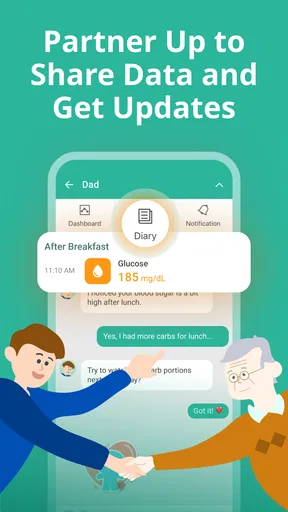
Managing diabetes can sometimes feel isolating, but Health2Sync tackles this by incorporating social features. You can connect with family members or caregivers who can help monitor your progress. This feature is like having a support group ready to cheer you on and keep you accountable.
Sharing health information is a personal choice, not an obligation. Before connecting a family member or caregiver, I would consider what information I want them to see and whether that arrangement feels supportive rather than intrusive. It can be especially useful for someone who wants a trusted person to help remember patterns or provide encouragement, but it may not suit a user who prefers to keep a private log. I would check the sharing controls inside the app and revisit them if circumstances change.
The app also provides access to professional health advice. You can log your data and share it with healthcare providers, making it easier to have informed discussions during your medical appointments.
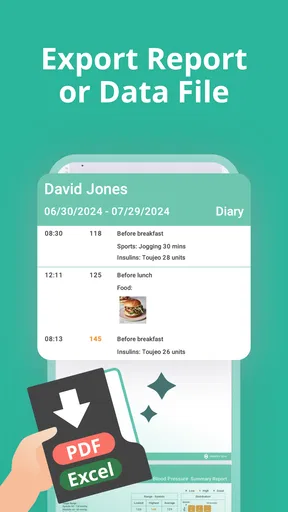
For an appointment, I would use the record to prepare a few focused questions rather than expecting an app-generated report to answer them. A useful workflow is to review the period the clinician wants to discuss, note any gaps or unusual circumstances, and bring the information in whatever way the provider can use. The app can make a conversation more concrete, but interpretation and treatment decisions still belong with the care team.
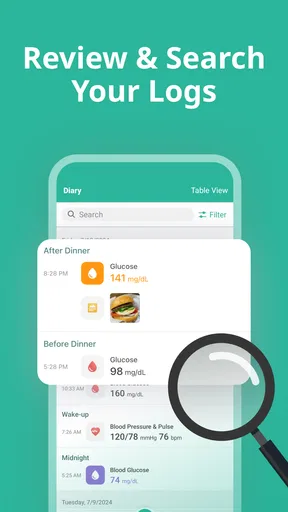
Compared with a paper notebook, a digital log can be easier to search and review, particularly when readings are synced and related habits are recorded alongside them. Compared with a meter’s own history, an app may offer a broader place to organize context such as activity or mood. The trade-off is that digital tracking depends on a phone, an account, and whatever connectivity or setup a user chooses. If you want only a simple record that stays offline and requires no app routine, paper or a basic meter history may be the better fit.
Who is likely to benefit—and who may prefer something else
I see the strongest fit for people who already want to keep a regular diabetes log, find it hard to remember details between appointments, or would like to consider readings alongside everyday habits. It may also help a caregiver-supported routine, provided the person managing the data is comfortable with sharing. The app’s reports and tracking can be useful prompts for reflection, but they should not be treated as proof that a particular meal, activity, or mood caused a change.
On the other hand, I would not recommend choosing it solely for a promise of medical guidance. A person who needs urgent advice, a treatment decision, or help responding to a concerning reading should contact their healthcare professional or follow their established care plan, not wait for an app insight. It may also be the wrong choice for someone who dislikes entering health information, does not want an account-based digital record, or only needs the simplest possible glucose log.
Health2Sync is rated 4.4 on average, with around 20,000 ratings and 491 written reviews, and it has more than 1 million installs. Those figures suggest that many people have tried it, but they cannot tell me whether its workflow matches a particular person’s needs. It is rated for Everyone, was released on December 10, 2014, and its current version is 2.97.0, with Android 10 as the minimum operating system. I would check compatibility on my own device before planning to rely on it.
Final Thoughts
All in all, Health2Sync proves to be a robust companion for anyone managing diabetes. Its comprehensive tracking, user-friendly interface, and supportive features make it a valuable tool in the journey towards better health. Whether you’re newly diagnosed or a seasoned pro at managing diabetes, this app offers something for everyone.
Of course, like any tool, its effectiveness depends on how consistently you use it. But with its array of features and ease of use, Health2Sync makes staying on top of your health as straightforward as possible. So, if you’re on the lookout for a reliable diabetes management app, Health2Sync might just be the partner you’ve been searching for.
My cautious verdict is that it is worth considering if you want more context around your glucose log and are comfortable reviewing privacy and sharing choices before adding sensitive details. The free download lowers the barrier to trying it, while in-app purchases range from $3.99 to $38.99 per item, so I would pay attention to any purchase prompt and decide whether an optional item is relevant to my routine. If what you need is a dependable place to collect information and prepare for better conversations with your care team, it may be a helpful companion. If you expect it to make clinical decisions for you, or want no digital record at all, I would choose a different approach.
Pros
- User-friendly interface for easy navigation.
- Comprehensive data tracking and analysis.
- Integration with multiple health devices.
- Customizable reminders for medication.
- Community support feature for motivation.
Cons
- Limited features in the free version.
- Requires internet for full functionality.
- Occasional sync issues with devices.
- Data entry can be time-consuming.
- No direct integration with all hospitals.
FAQs for Health2Sync - Diabetes Tracker
What features does Health2Sync offer for managing diabetes?
Health2Sync provides a comprehensive set of features to help manage diabetes effectively. Users can log blood sugar levels, track medication intake, monitor diet and exercise, and receive personalized insights. It also offers synchronization with glucose meters and the option to share health data with family or healthcare providers.
Is Health2Sync compatible with both Android and iOS devices?
Yes, Health2Sync is available for both Android and iOS platforms. Users can download it from the Google Play Store or Apple App Store. The app is designed to be user-friendly across different devices, ensuring a seamless experience whether you are using a smartphone or tablet.
Can Health2Sync integrate with other health apps or devices?
Health2Sync can integrate with various devices and platforms, enhancing its utility. It supports synchronization with several glucose meters, and users can import data from other health apps, making it easier to maintain a comprehensive health record. Always check compatibility details on the app’s official page for specific devices.
Is Health2Sync secure in terms of data privacy?
Health2Sync prioritizes user privacy and data security. The app uses encryption to protect user data, ensuring that personal and health information remains confidential. Users can also control who they share their health data with, providing added peace of mind regarding data privacy.
Does Health2Sync offer support for users who need help using the app?
Yes, Health2Sync provides customer support to assist users with any questions or issues they may encounter. The app includes a help section with detailed guides, and users can also contact support directly through email or the app for personalized assistance. This ensures users have the help they need to make the most out of the app's features.


